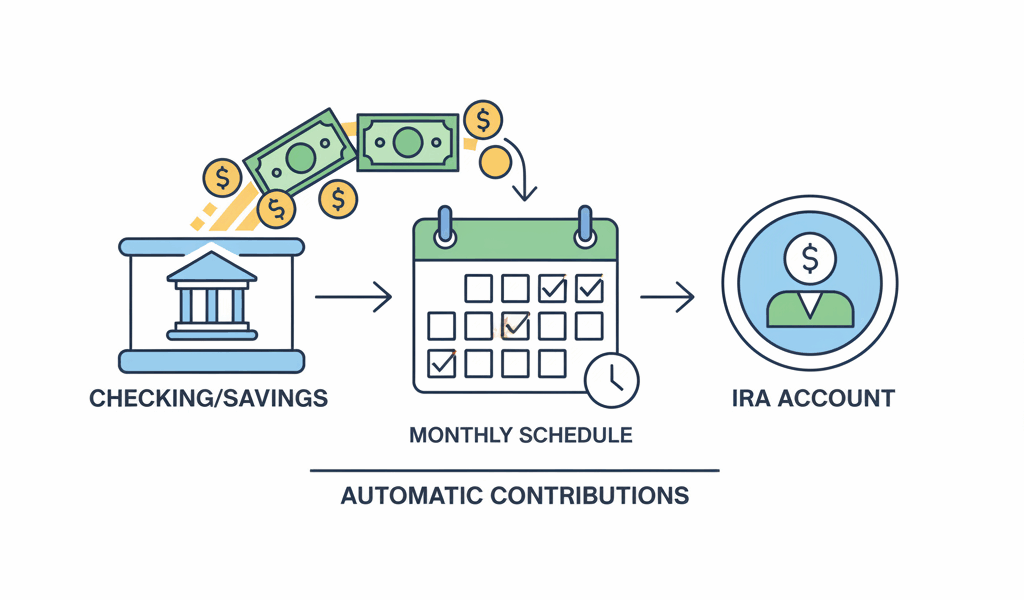
Setting up automatic contributions to your IRA is one of the smartest financial moves you can make. It removes the decision fatigue, ensures consistent investing, and helps you take advantage of dollar-cost averaging without thinking about it. After setting up my own automatic monthly transfers three years ago, I haven’t missed a single contribution—and my retirement savings have grown faster than they ever did when I was manually moving money.
The beauty of automation is that it makes saving effortless. You decide once, set it up, and then it just happens. No more forgetting to contribute, no more waiting for the “perfect time,” and no more excuses. Let me walk you through exactly how to set this up at the major brokerages.
Why Automatic Contributions Matter
Before we dive into the how-to, let’s talk about why this is worth your time:
- Consistency beats timing: Regular contributions outperform trying to time the market
- Dollar-cost averaging: You buy more shares when prices are low, fewer when high
- Removes emotion: No second-guessing or market-timing mistakes
- Maximizes tax benefits: Easier to hit contribution limits ($7,000 for 2026, or $8,000 if 50+)
- Compound interest: Earlier, consistent contributions grow exponentially over time
Setting Up at Fidelity
Step 1: Link Your Bank Account
Log into Fidelity and navigate to “Accounts & Trade” → “Transfers.” Click “Link an Account” and enter your bank routing and account numbers. Fidelity will make two small deposits (under $1 each) that you’ll need to verify within a few days.
Step 2: Set Up Automatic Transfers
Once verified, go to “Accounts & Trade” → “Transfers” → “Automatic Deposits.” Choose:
- Source account: Your linked bank account
- Destination: Your IRA (Traditional or Roth)
- Amount: Whatever fits your budget (I recommend $583/month to max out the $7,000 annual limit)
- Frequency: Monthly, bi-weekly, or weekly
- Start date: Usually 2-3 business days out
Step 3: Set Up Automatic Investing (Optional)
This is where the magic happens. Rather than having cash sit in your IRA, set up automatic investment into your chosen funds. Go to “Accounts & Trade” → “Automatic Investments” and select your target funds (index funds like FXAIX or target-date funds work great).
Setting Up at Vanguard
Vanguard’s process is similar but with a slightly different interface:
- Log in and click “My Accounts” → “Bank Information”
- Add your bank account and verify with micro-deposits
- Navigate to “Automatic Investments” under your IRA account
- Click “Manage automatic investment” → “Set up automatic investment”
- Choose amount, frequency, and which funds to invest in
Vanguard lets you set up both the transfer AND the investment in one step, which is convenient. Just specify which funds you want your contributions allocated to.
Setting Up at Schwab
Schwab combines transfer and investment setup into their “Automatic Investment Plan”:
- Go to “Accounts” → “Transfers & Payments” → “Automatic Transfers”
- Link and verify your external bank account
- Set up your recurring transfer schedule
- Under “Trade” → “Automatic Investment Plan,” specify which securities to purchase
- Choose dollar amounts or share quantities
Pro tip: Schwab lets you split contributions across multiple funds automatically, which is great for maintaining your target allocation.
How Much Should You Contribute?
The 2026 IRA contribution limits are:
- Under age 50: $7,000 per year ($583/month)
- Age 50+: $8,000 per year with catch-up ($667/month)
If you can’t max it out, don’t let perfect be the enemy of good. Start with whatever you can afford—even $100/month adds up significantly over time thanks to compound growth.
Traditional vs. Roth: Where Should It Go?
Quick decision framework:
- Traditional IRA: Tax deduction now, pay taxes in retirement. Better if you’re in a high tax bracket today.
- Roth IRA: No deduction now, but tax-free withdrawals in retirement. Better if you’re early in your career or expect higher taxes later.
- Income limits apply: Roth has income phase-outs ($146,000-$161,000 for single filers in 2026)
I personally split my contributions between both, hedging my tax bets.
Common Mistakes to Avoid
- Not investing the contributions: Money sitting in cash earns nothing. Auto-invest it.
- Stopping during market dips: That’s when dollar-cost averaging works best!
- Over-contributing: There’s a 6% penalty on excess contributions. Stay within limits.
- Wrong account type: Make sure you’re contributing to Traditional vs. Roth based on your tax strategy
- Forgetting to verify: Check after the first few months that everything is working correctly
What I Actually Do
I have $583 automatically transferred from my checking account to my Roth IRA on the 15th of each month (payday). It’s automatically invested 60% in VTSAX (total market index) and 40% in VTIAX (international index). I never see the money, never think about it, and it’s been growing steadily for three years.
Set it and forget it—but verify it quarterly to make sure everything is still working correctly.




Stay in the loop
Get the latest wildlife research and conservation news delivered to your inbox.