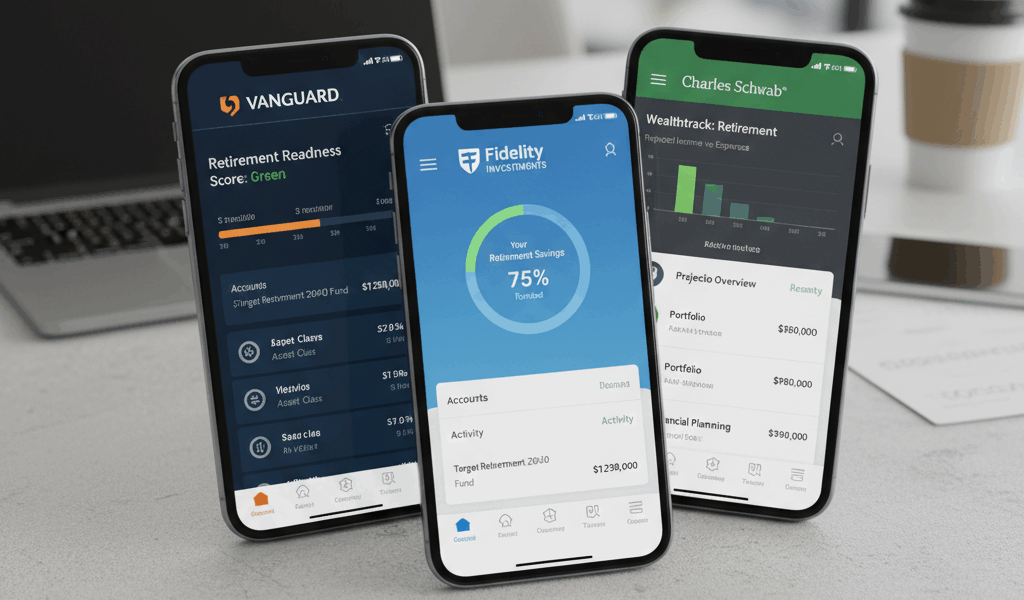
Just updated all my retirement and investment apps, and I’m relearning where everything is—again. Every major brokerage seems to redesign their interface annually, and while the new features are usually improvements, the adjustment period is annoying. Here’s what’s new in 2026 across the major retirement planning apps.
Fidelity Mobile App Updates
What’s New in 2026
- AI spending insights: Analyzes your spending patterns and suggests how much more you could save
- Retirement income simulator: Visual tool showing how different withdrawal strategies affect portfolio longevity
- Enhanced alerts: More granular price and portfolio alerts with custom conditions
- Bill pay integration: Can now pay bills directly through the app (competing with Schwab’s banking features)
- Improved biometric login: Face ID now works faster and more reliably
Interface Changes
They’ve moved the portfolio view to a card-based layout. Your accounts are now displayed as swipeable cards rather than a list. Takes some getting used to, but it’s cleaner once you adapt.
What I Like
The retirement income simulator is genuinely useful. You can model different scenarios: retiring at 62 vs. 65 vs. 67, different withdrawal rates, and Social Security claiming strategies. It shows you probability of success for each scenario.
What’s Annoying
They buried the “Positions” view (where you see all your holdings) two levels deeper than before. Used to be one tap, now it’s three. Probably trying to de-emphasize daily checking, which is psychologically good but practically annoying.
Vanguard App Updates
What’s New in 2026
- Complete redesign: Finally modernized the interface (it was stuck in 2015)
- Dark mode: Yes, really—Vanguard now has dark mode
- Real-time quotes: No more 15-minute delayed prices
- Fingerprint/Face ID: Biometric login added (about time)
- Portfolio analysis: New tool showing allocation, performance, and recommendations
Interface Changes
Complete overhaul. The old app felt like a website wrapper; the new one is a proper native mobile app. Navigation is faster, and everything loads smoother.
What I Like
It’s finally modern. The old app was embarrassingly outdated compared to Fidelity and Schwab. This update brings them close to parity. The portfolio analysis tool is particularly good at identifying high-fee funds and suggesting lower-cost alternatives.
What’s Still Missing
No bill pay, no cash management features, and the trading interface is still pretty basic. If you’re a buy-and-hold index investor (most Vanguard customers), you won’t care. Active traders will still find it limiting.
Schwab App Updates
What’s New in 2026
- TD Ameritrade integration complete: Full thinkorswim features now available in Schwab app
- Schwab Banking 2.0: Enhanced cash management with instant transfers
- Fractional shares: Now you can buy partial shares of expensive stocks
- Social Security optimizer: Tool to model optimal claiming age based on your situation
- Voice commands: Can execute trades and check balances via Siri/Google Assistant
Interface Changes
They’ve integrated thinkorswim charting tools into the main app. You can now access advanced charts without switching to a separate app. This is huge for people who came from TD Ameritrade.
What I Like
The banking integration is unmatched. I can move money between checking, savings, brokerage, and retirement accounts instantly with no fees. It’s genuinely convenient having everything in one ecosystem.
What’s Annoying
The app is getting bloated. They’re cramming in every feature imaginable, and sometimes I just want to check my balance without navigating through five menus.
Personal Capital (Now Empower) App Updates
What’s New in 2026
- Rebranded to Empower: New name, same functionality
- Enhanced retirement planning: More sophisticated Monte Carlo simulations
- Fee analyzer 2.0: Now shows how much you’re paying in all fees across all accounts
- Investment checkup: Quarterly analysis of your portfolio with specific recommendations
- Debt payoff planner: New tool for modeling student loan and mortgage payoff strategies
What I Like
This is still the best aggregator app for viewing all your accounts in one place. If you have accounts scattered across multiple brokerages (like I do with old 401(k)s), Empower gives you a unified view. The retirement planner is also more sophisticated than what most brokerages offer.
The Catch
Free tier is still great, but they’re increasingly pushing their paid wealth management service. Expect regular notifications about “improving your portfolio” that are really sales pitches. Annoying but tolerable for the free tools.
Betterment App Updates
What’s New in 2026
- Crypto portfolios: Now offering crypto allocation (controversial among traditional investors)
- Dynamic rebalancing: More frequent rebalancing to capture tax-loss harvesting opportunities
- Retirement income management: New feature for retirees to manage withdrawals
- Goal-based savings: Can now create multiple goals with dedicated portfolios
What I Like
If you want completely hands-off investing, Betterment is still excellent. Set your goals, set your risk tolerance, and they handle everything else. The tax-loss harvesting is genuinely valuable in taxable accounts.
What to Consider
You’re paying 0.25% annually for management. On a $100k account, that’s $250/year. For some people, that’s worth it for the automation. For others, it’s money better saved by DIY investing in low-cost index funds.
Comparison: Which App Is Best?
| Feature | Fidelity | Vanguard | Schwab | Empower |
|---|---|---|---|---|
| Interface | Excellent | Good (now) | Excellent | Good |
| Retirement planning | Strong | Good | Strong | Best |
| Trading features | Excellent | Basic | Best | N/A |
| Account aggregation | Limited | None | Limited | Excellent |
| Banking integration | Cash mgmt | None | Full bank | None |
| Learning curve | Medium | Easy | High | Easy |
My Setup
I actually use multiple apps for different purposes:
- Schwab app: Primary checking, savings, and brokerage
- Vanguard app: Traditional IRA (where my rollover lives)
- Empower: Aggregate view of everything plus retirement planning
- Fidelity app: Old 401(k) I haven’t rolled over yet
Tips for Adapting to Updates
- Don’t panic: Give yourself a week to adjust to new interfaces
- Explore settings: New features are often hidden in settings menus
- Update regularly: Don’t skip updates—security patches matter
- Read release notes: They actually tell you what changed
- Use tutorials: Most apps have in-app tutorials for new features
Features I Wish Every App Had
- Unified login: One password for all retirement accounts (I know, security concerns, but still)
- Cross-platform sync: Settings and watchlists that sync between web and mobile
- Better notifications: Smart alerts that actually matter instead of spam
- Simplified views: Option to hide advanced features if you’re just a passive investor
The Bottom Line
App updates are inevitable. The 2026 updates across all platforms are generally improvements—better retirement planning tools, more automation, and cleaner interfaces. Vanguard finally caught up to modern standards, Schwab absorbed thinkorswim successfully, and Fidelity keeps innovating.
Take an hour this weekend to explore the new features. You might find tools that make retirement planning easier.




Stay in the loop
Get the latest wildlife research and conservation news delivered to your inbox.